


How to add a Telegram account to the system to track chats and send events to Meta Pixel
In order for the system to monitor chats and transmit events to Meta Pixel, you first need to add a Telegram account.
1. Adding an account to the system
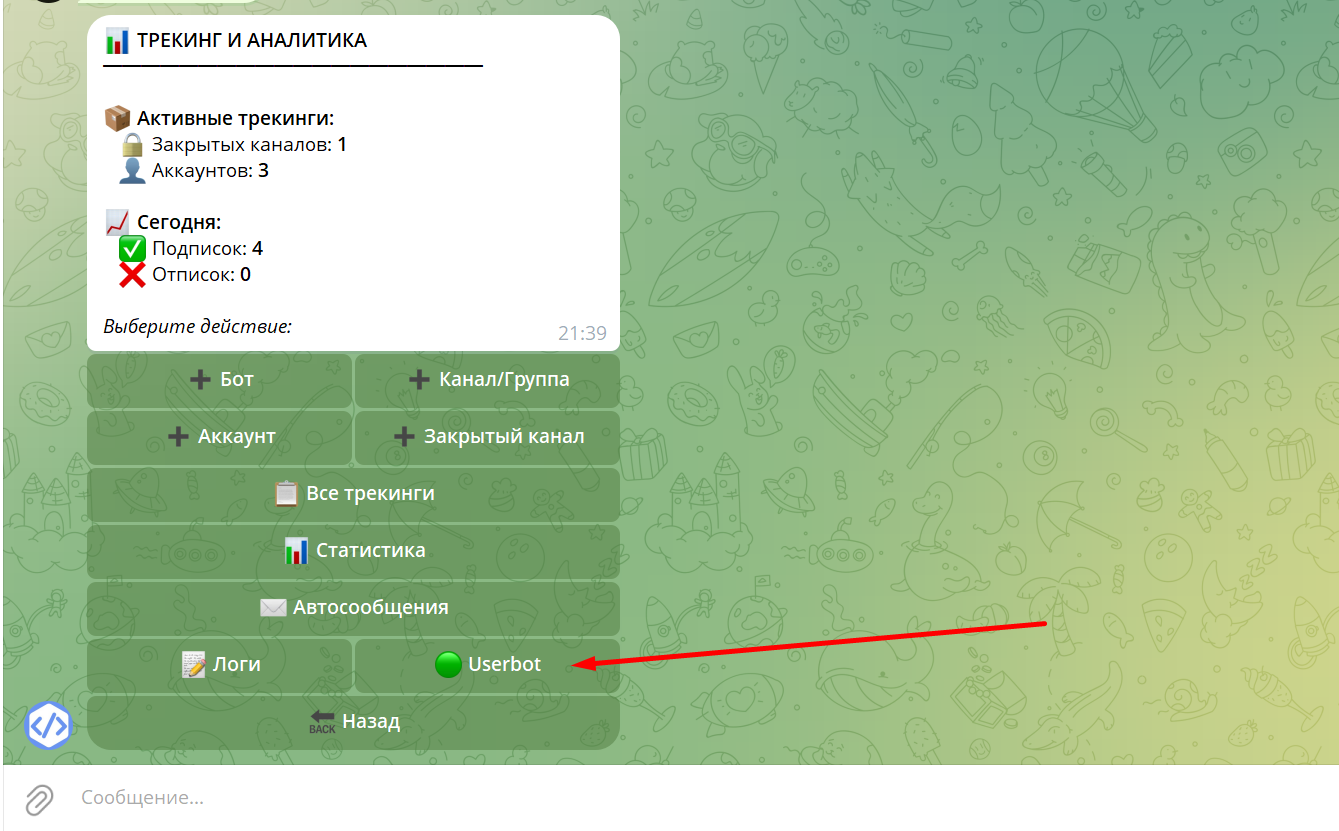
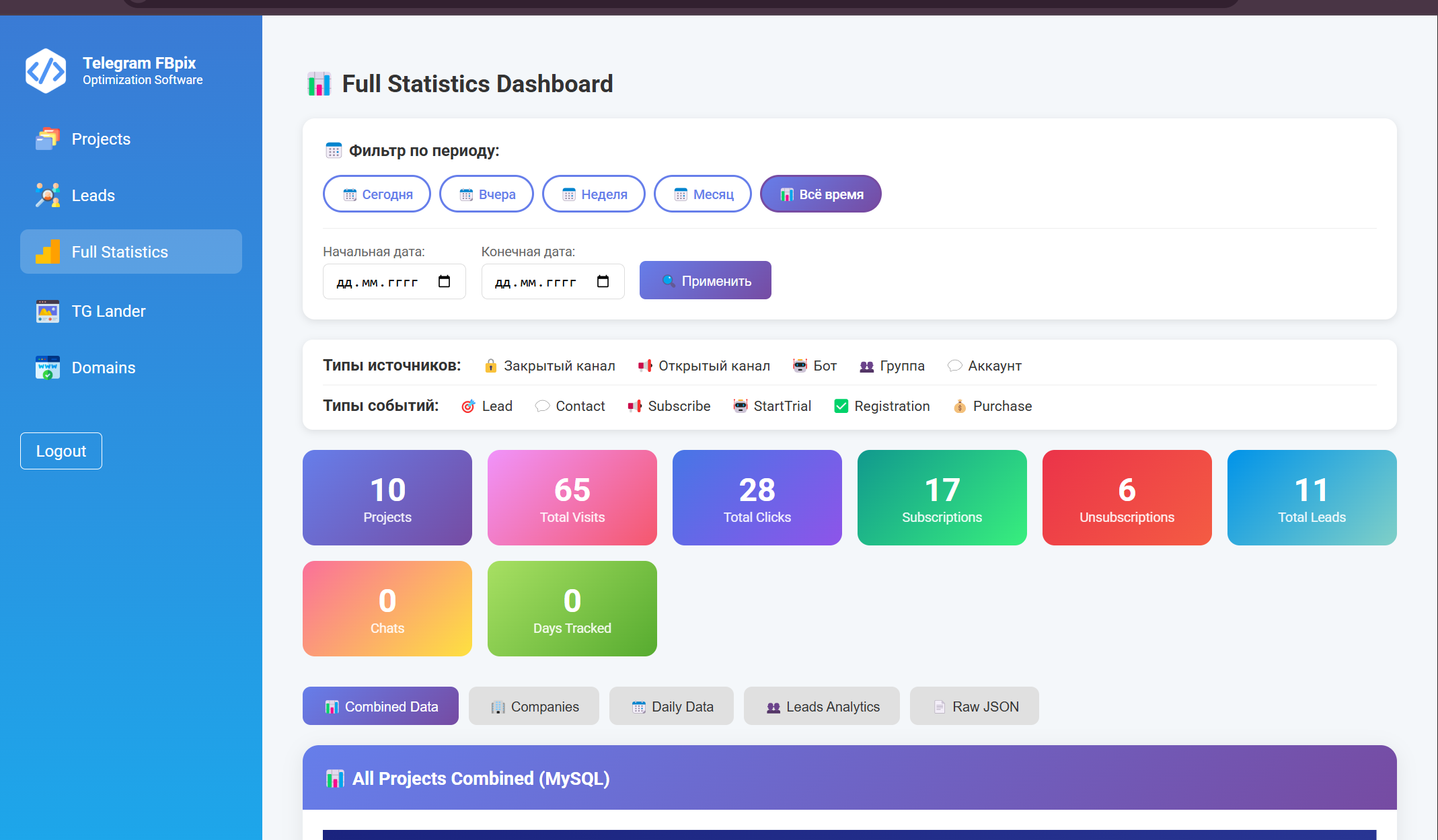
Go to the main menu of the bot and click "Tracking and Analytics".

Then select userBot.
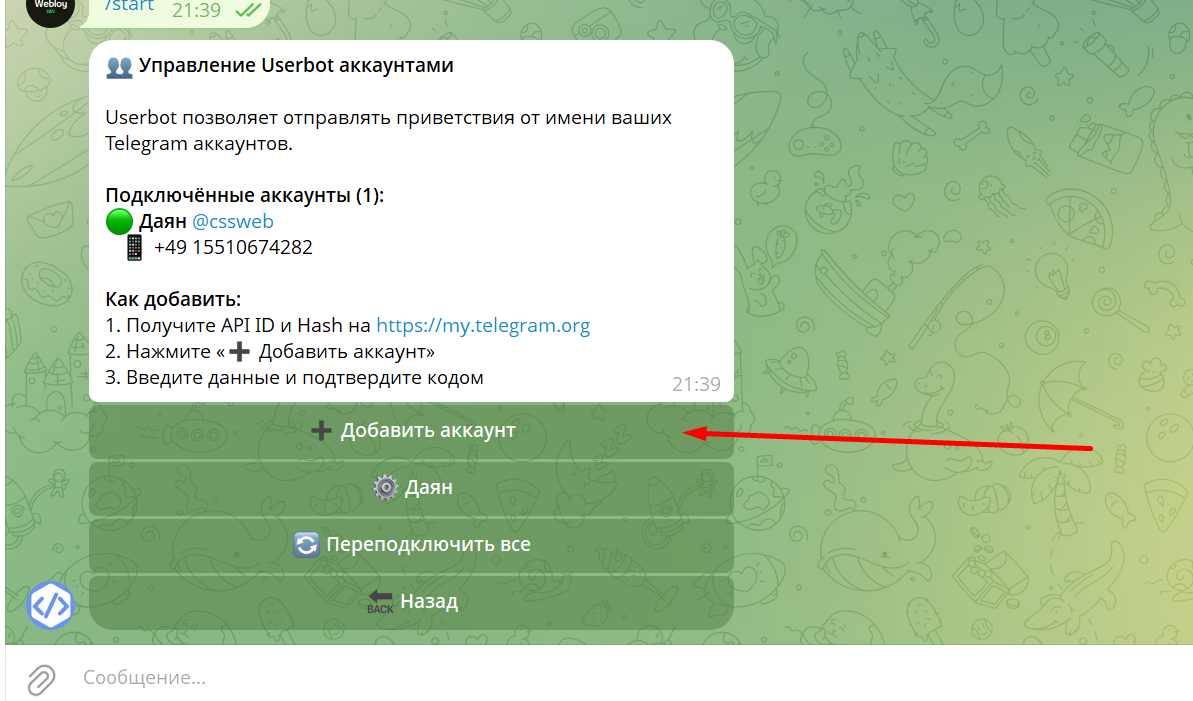
Click Add Account.
2. Obtaining an API ID
To add a new account:
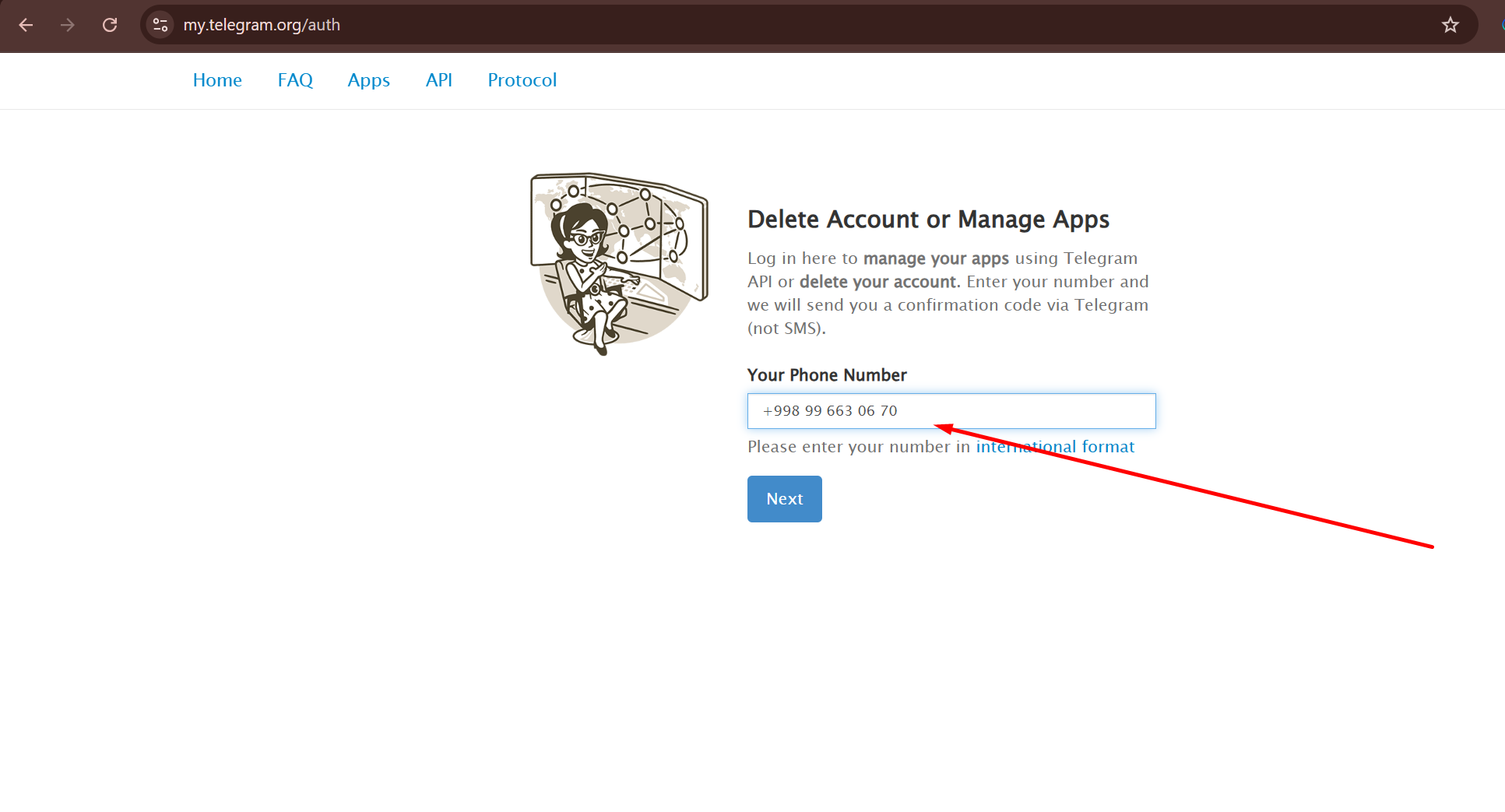
1. Go to the website: https://my.telegram.org
2. Log in using your new account phone number.
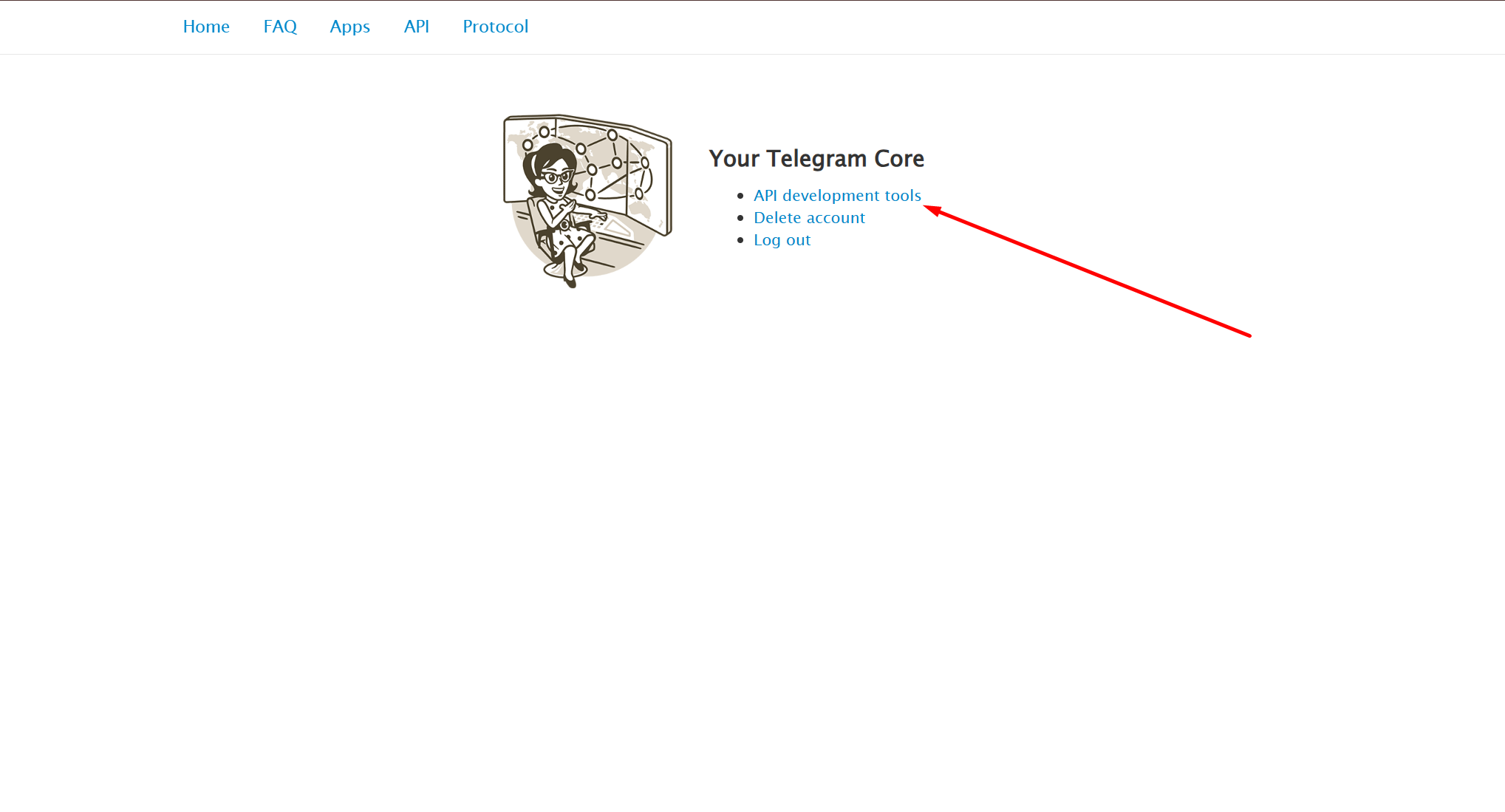
3. Open the API development tools section.
4. Create an application.
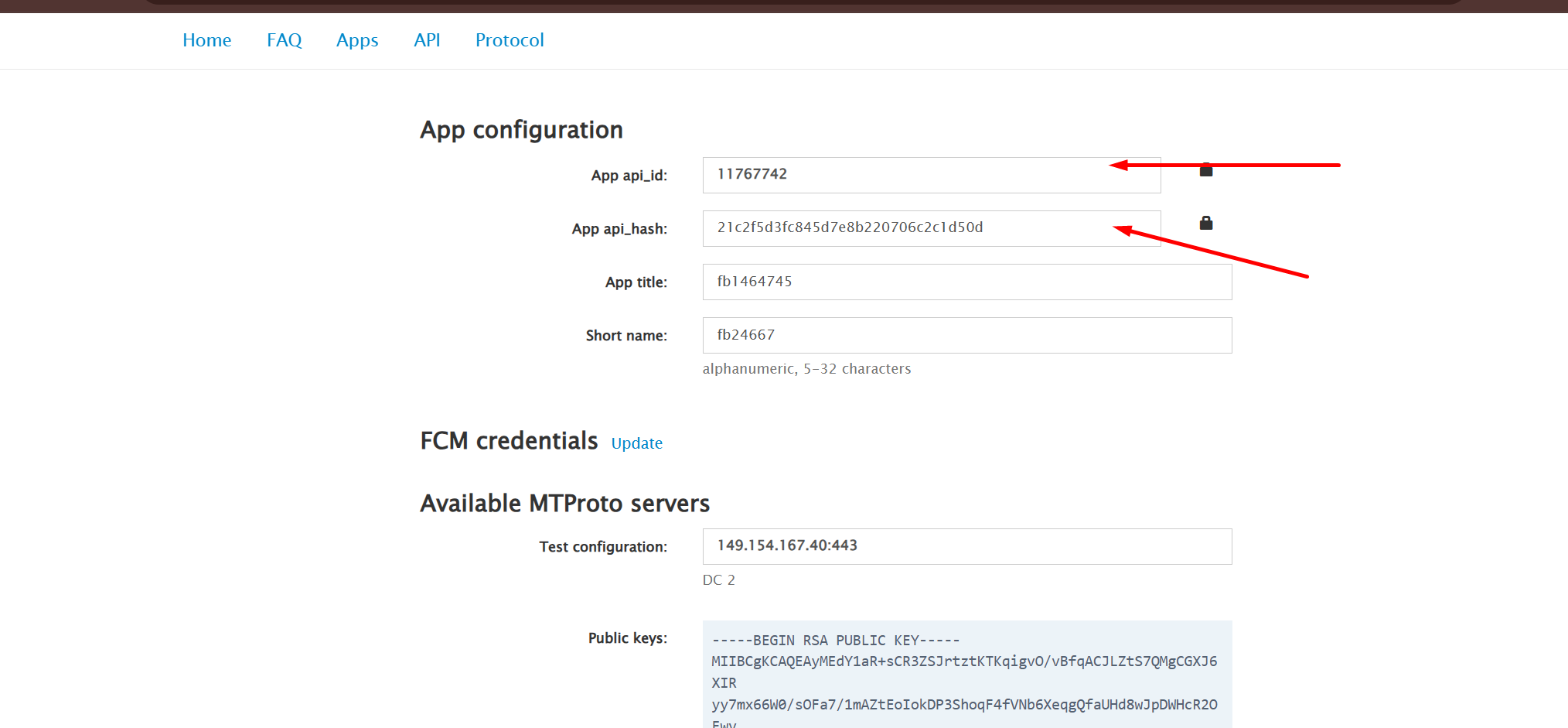
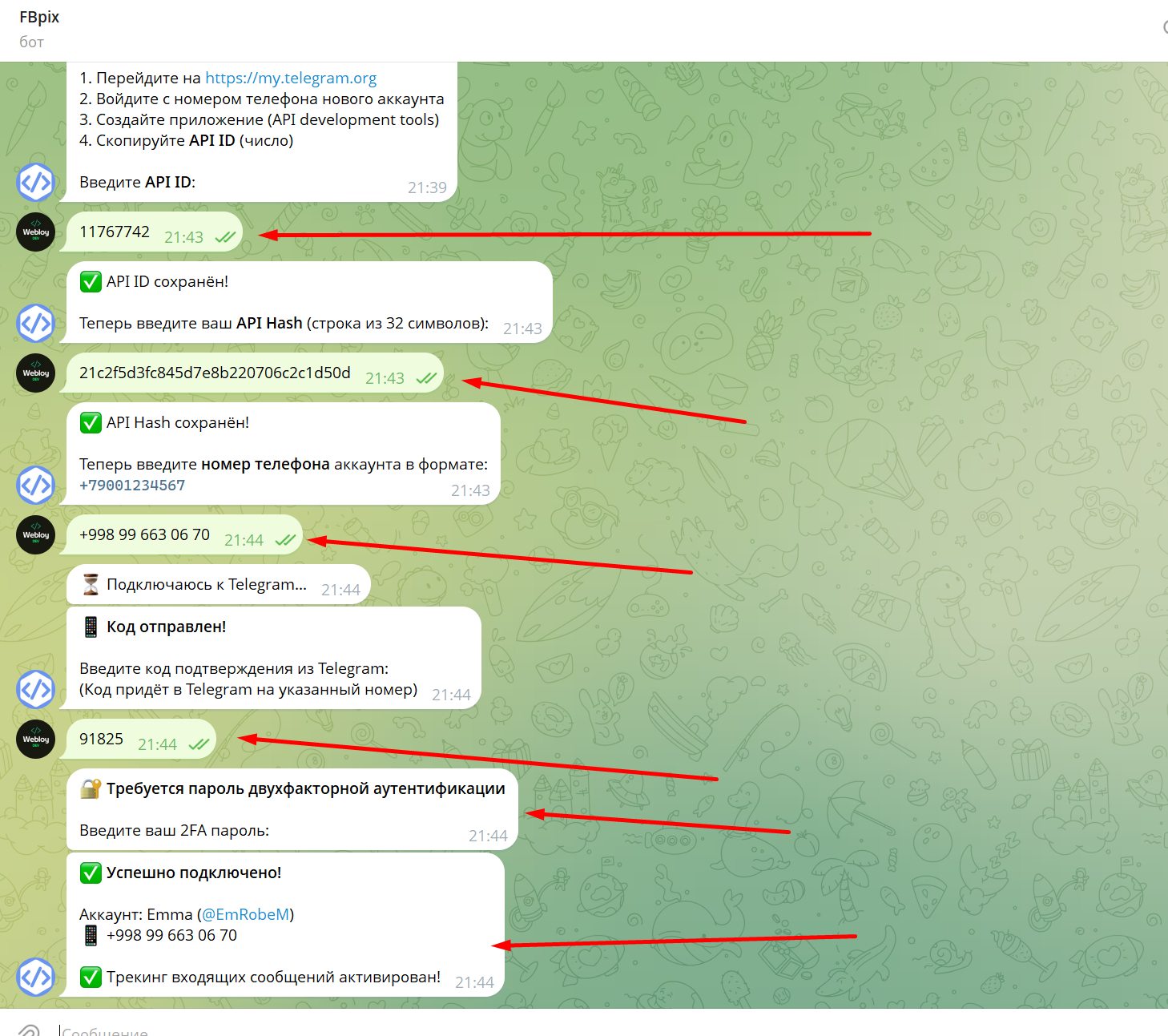
5. Copy API ID (this is the number).
Important! Antifraud TG.To get an api id and token, you need to follow the account rules:
1) Geo IP and geo account must match.
2) fill in something like this:
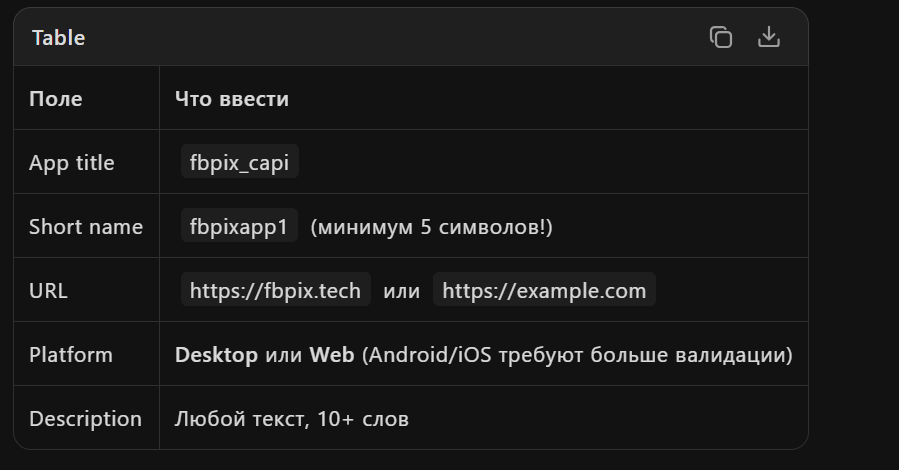
After that, enter the API ID in the system.
Creating an advertising link
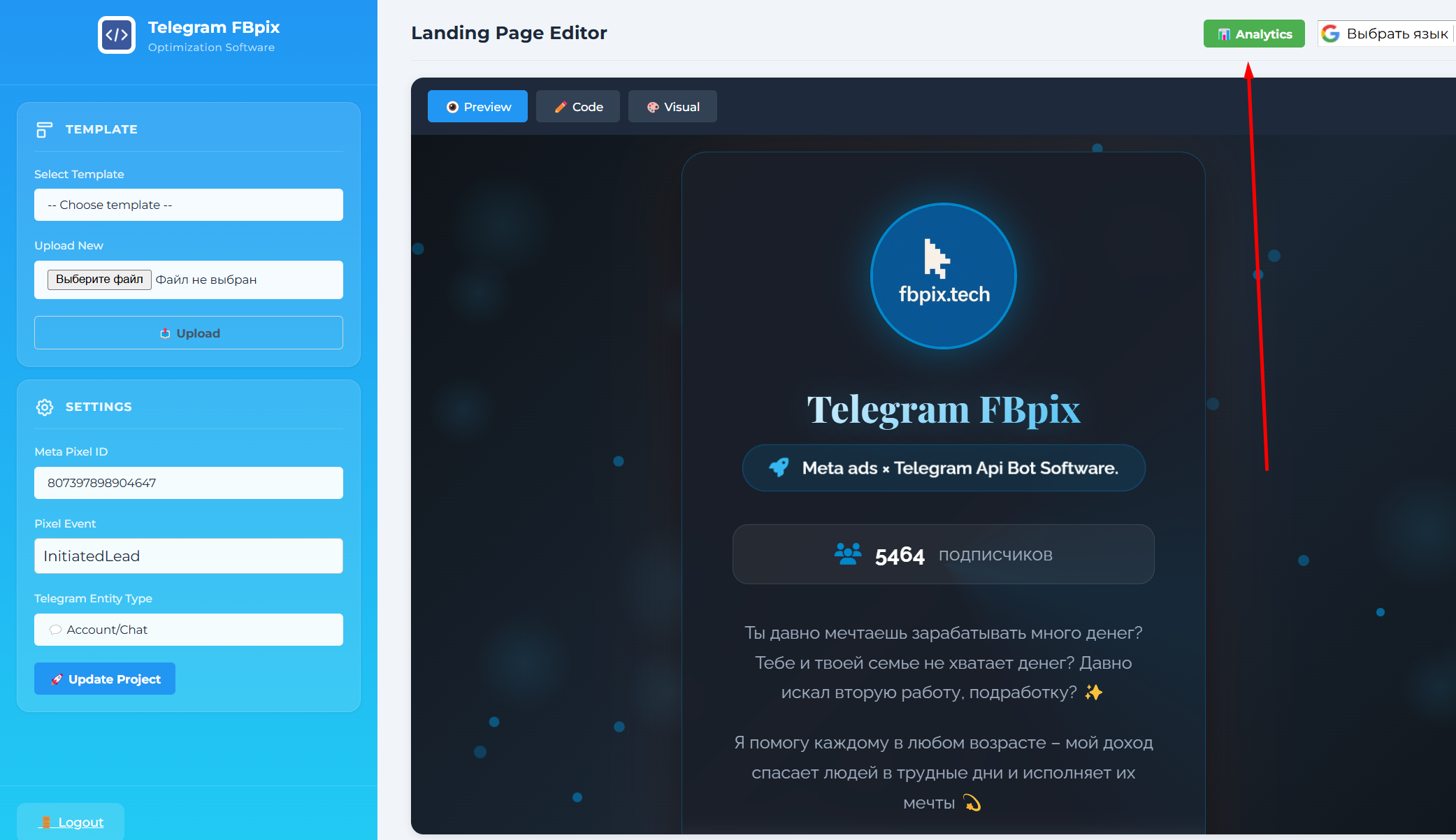
Now let's move on to creating an advertising link. You will be greeted by Landing Page Builder. You need to adapt the template to your channel.
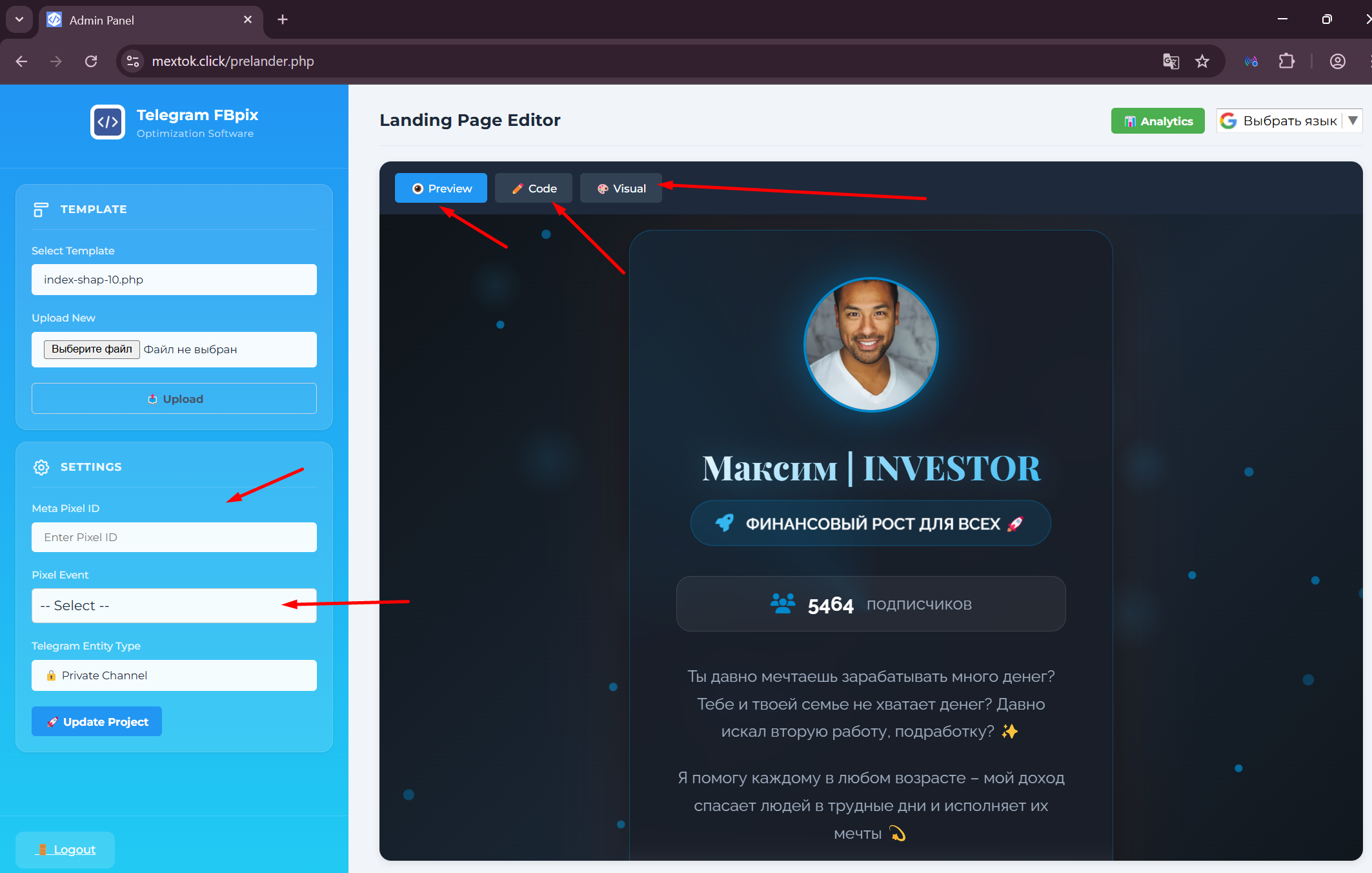
Click Visual and edit:
- name;
- description;
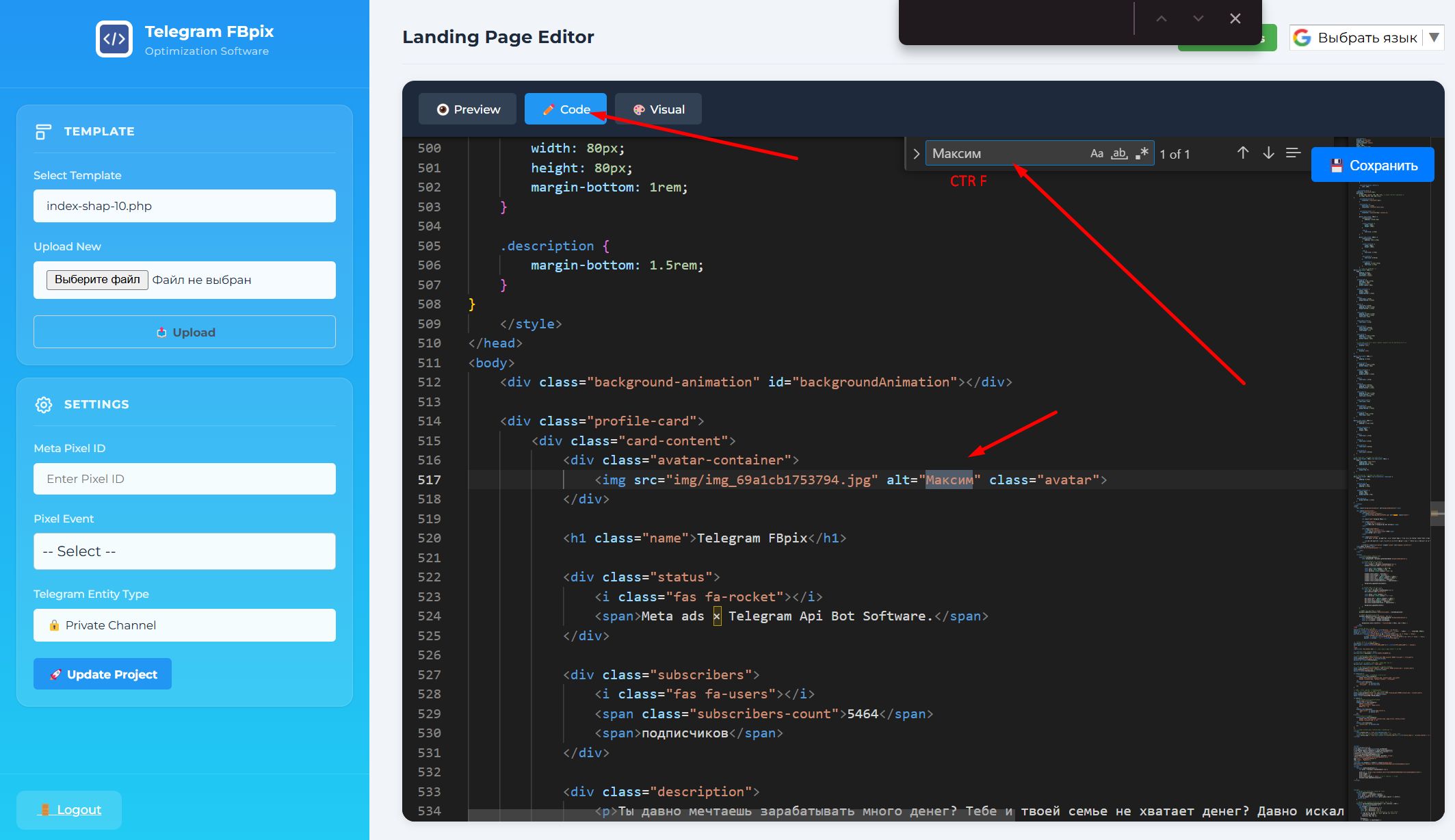
- meta tags;
- avatar.
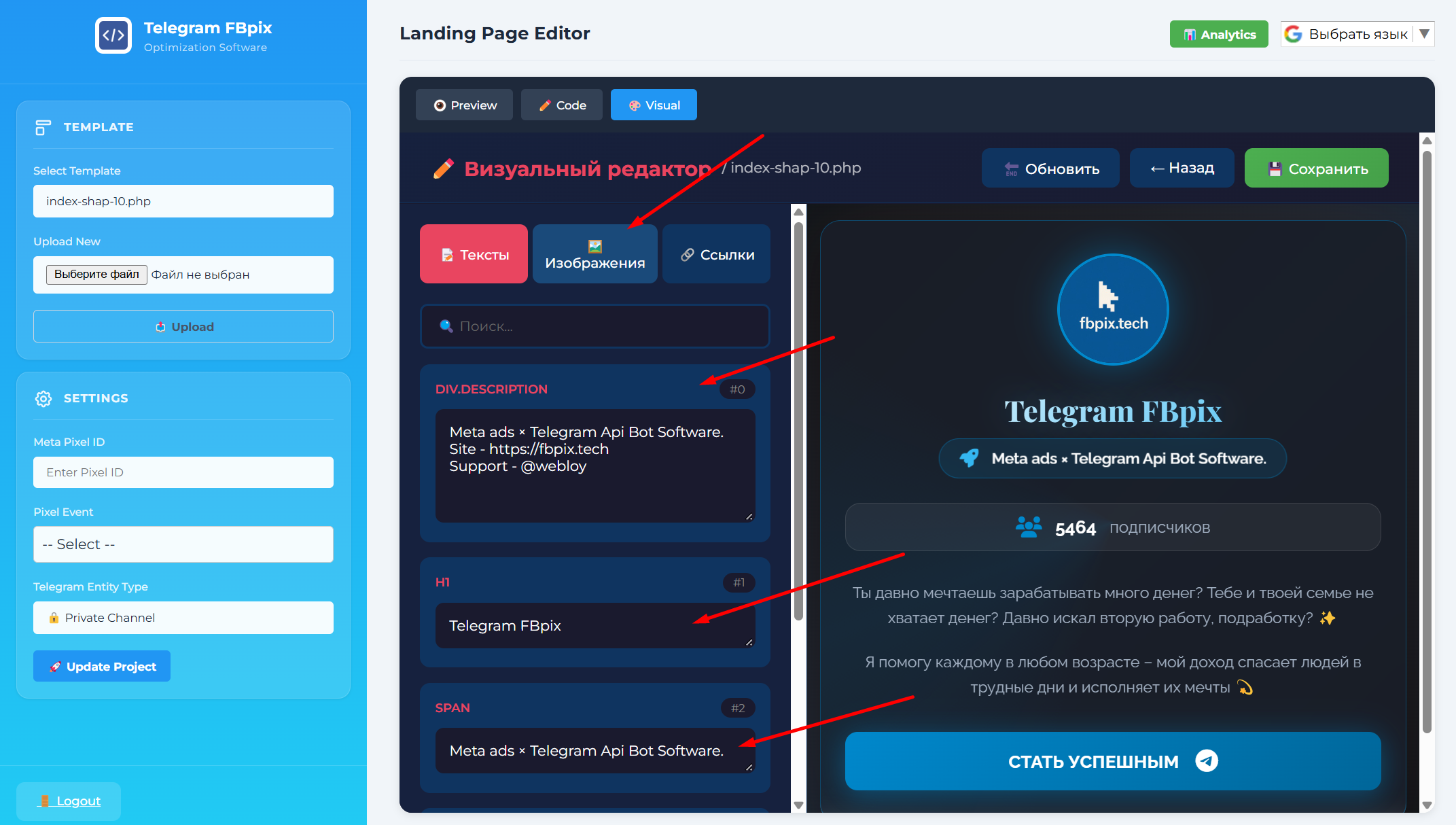
This way you can quickly find and edit the blocks you need. It is also recommended to edit the SEO meta tags.
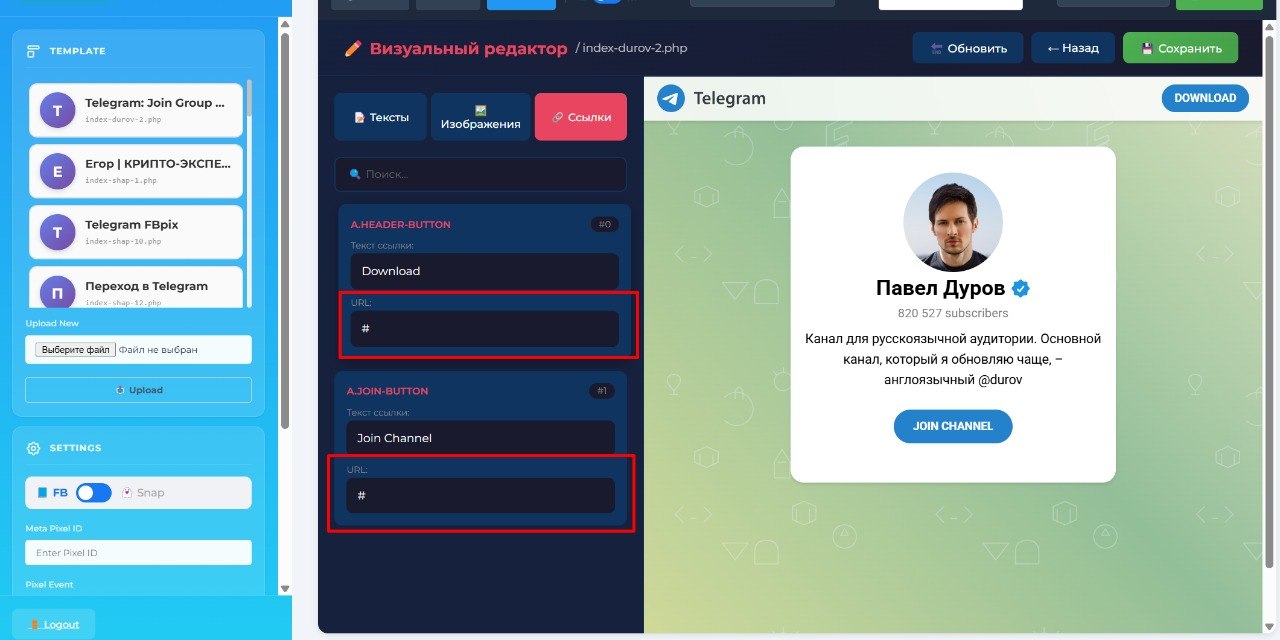
Do not put links on the landing page! should be #. The system itself will open the button via API .
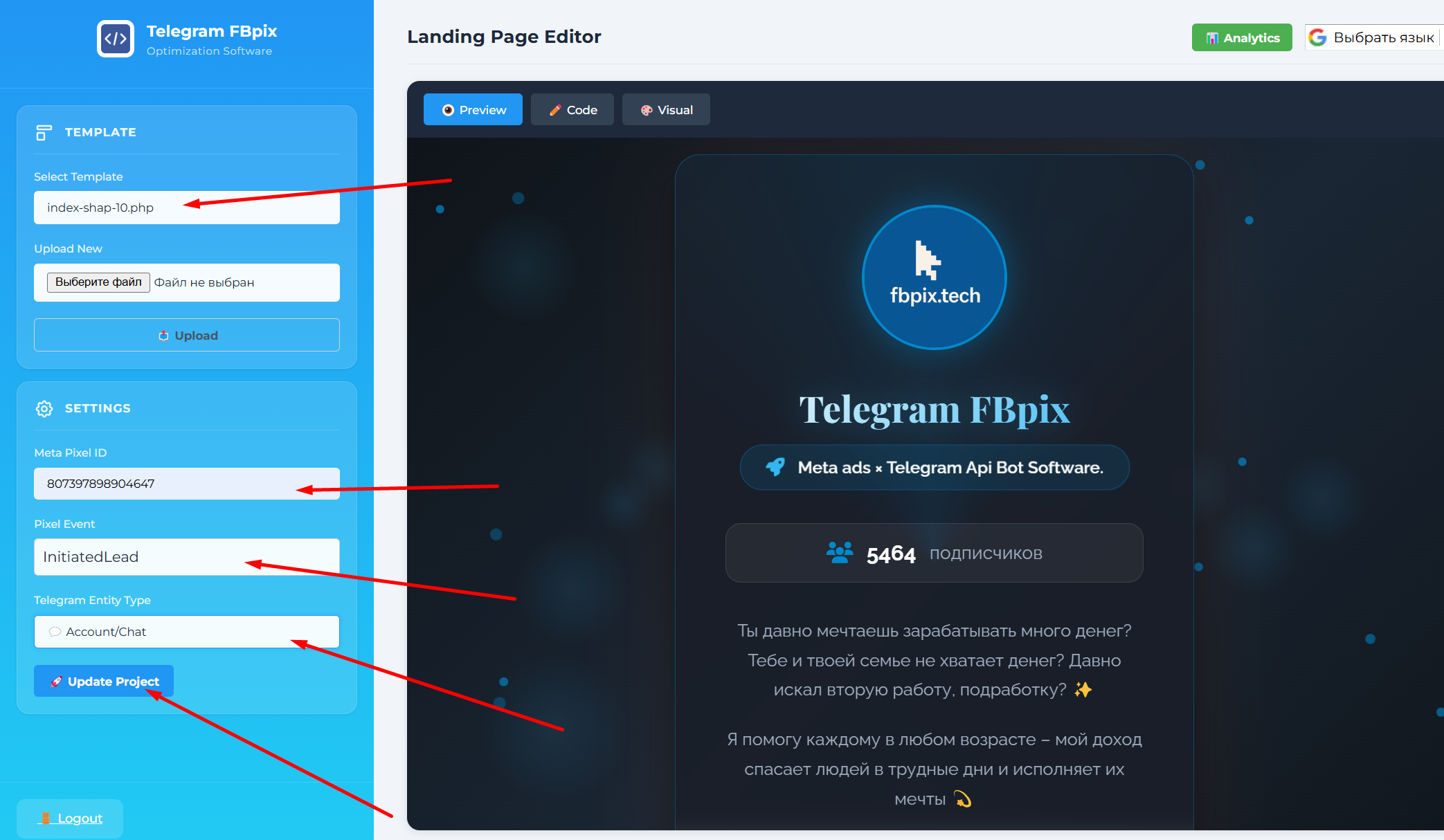
After this the template is ready. Remember its number and create a link.
Registering a campaign ID in the bot
After creating the link, you need to register the campaign ID in the bot.
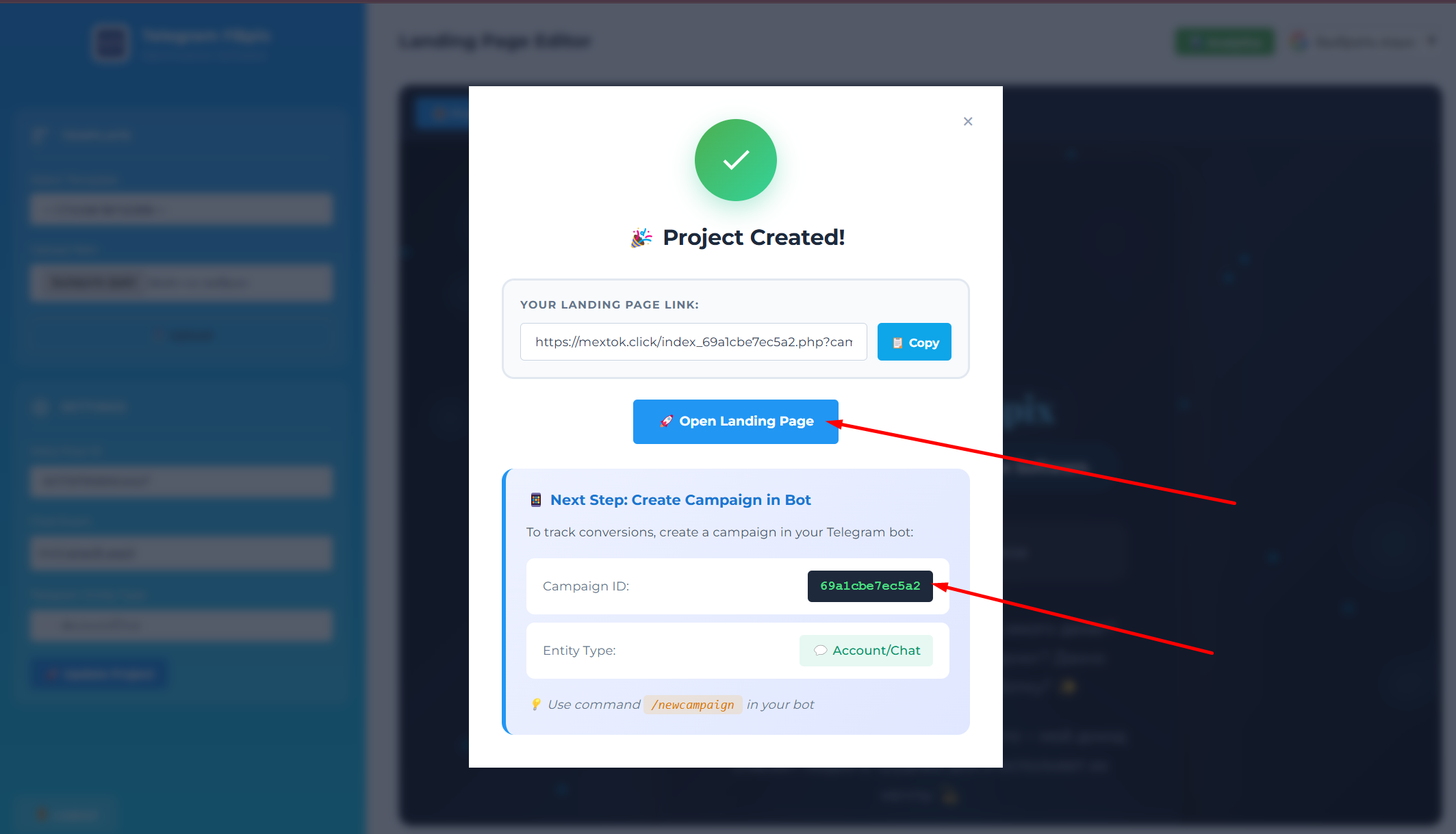
Copy the number. Example:
69a1cbe7ec5a2Then go to the bot's main menu and click Companies.
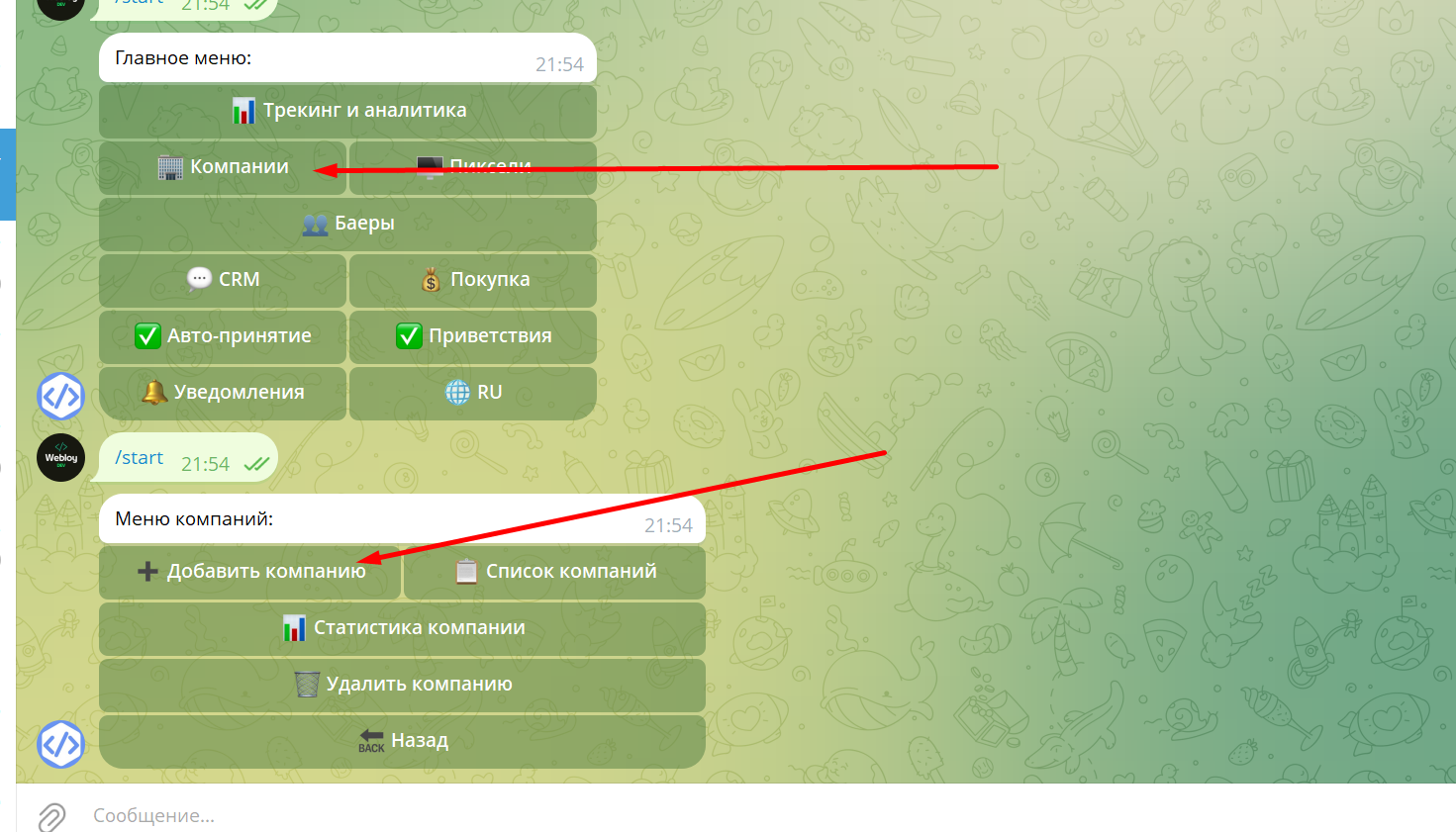
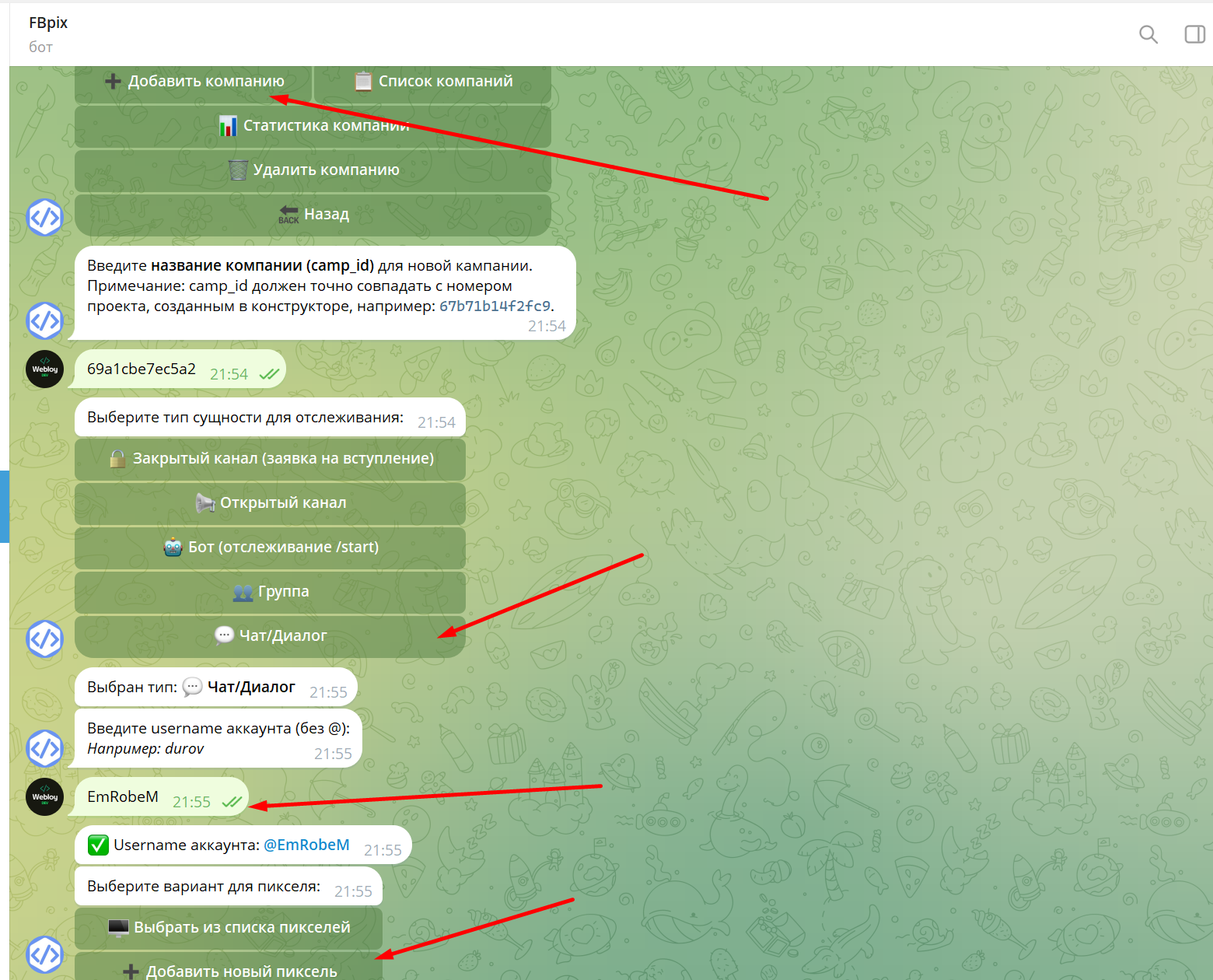
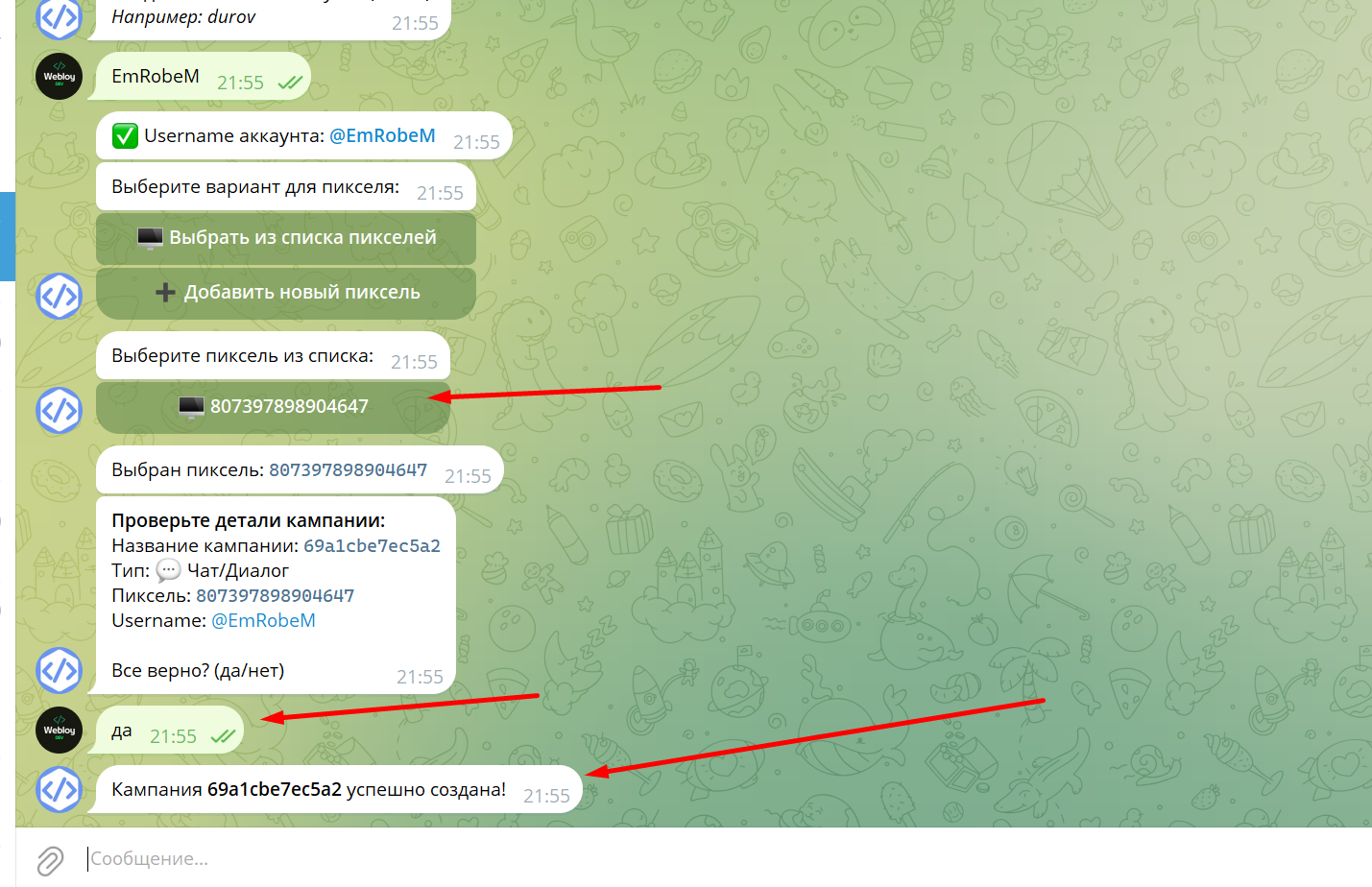
The result will be a link that looks something like this. After that, check the tracking.
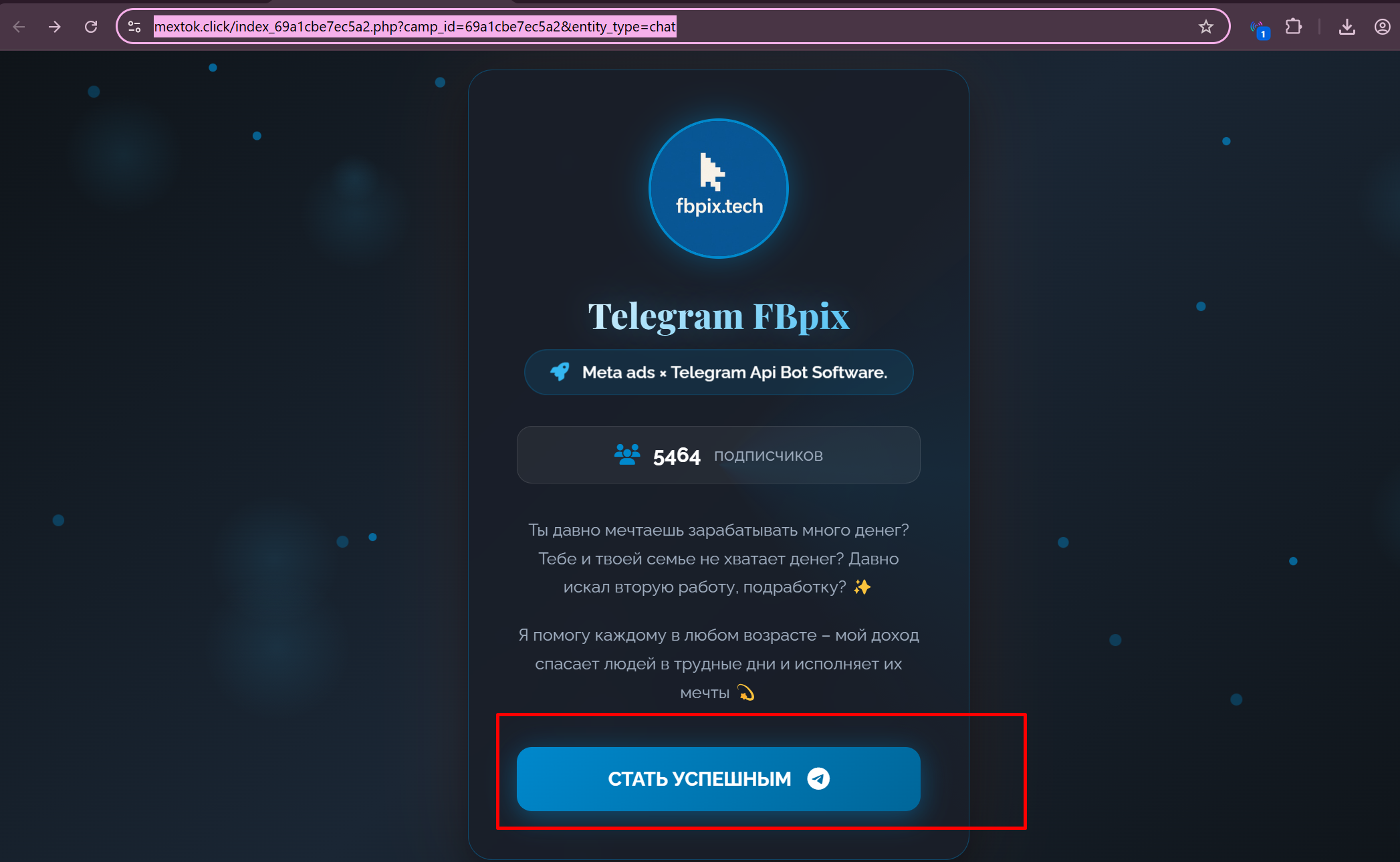
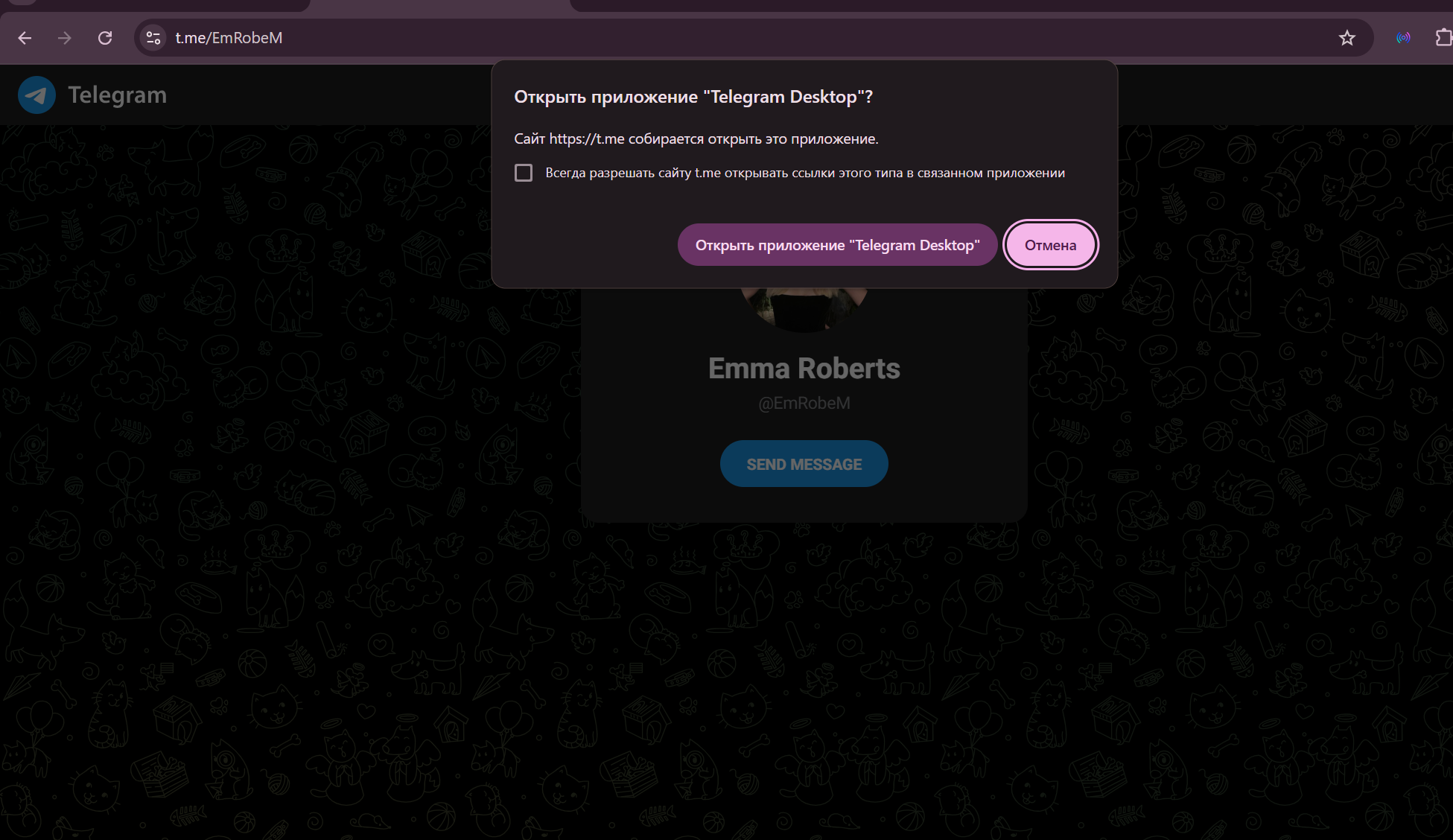
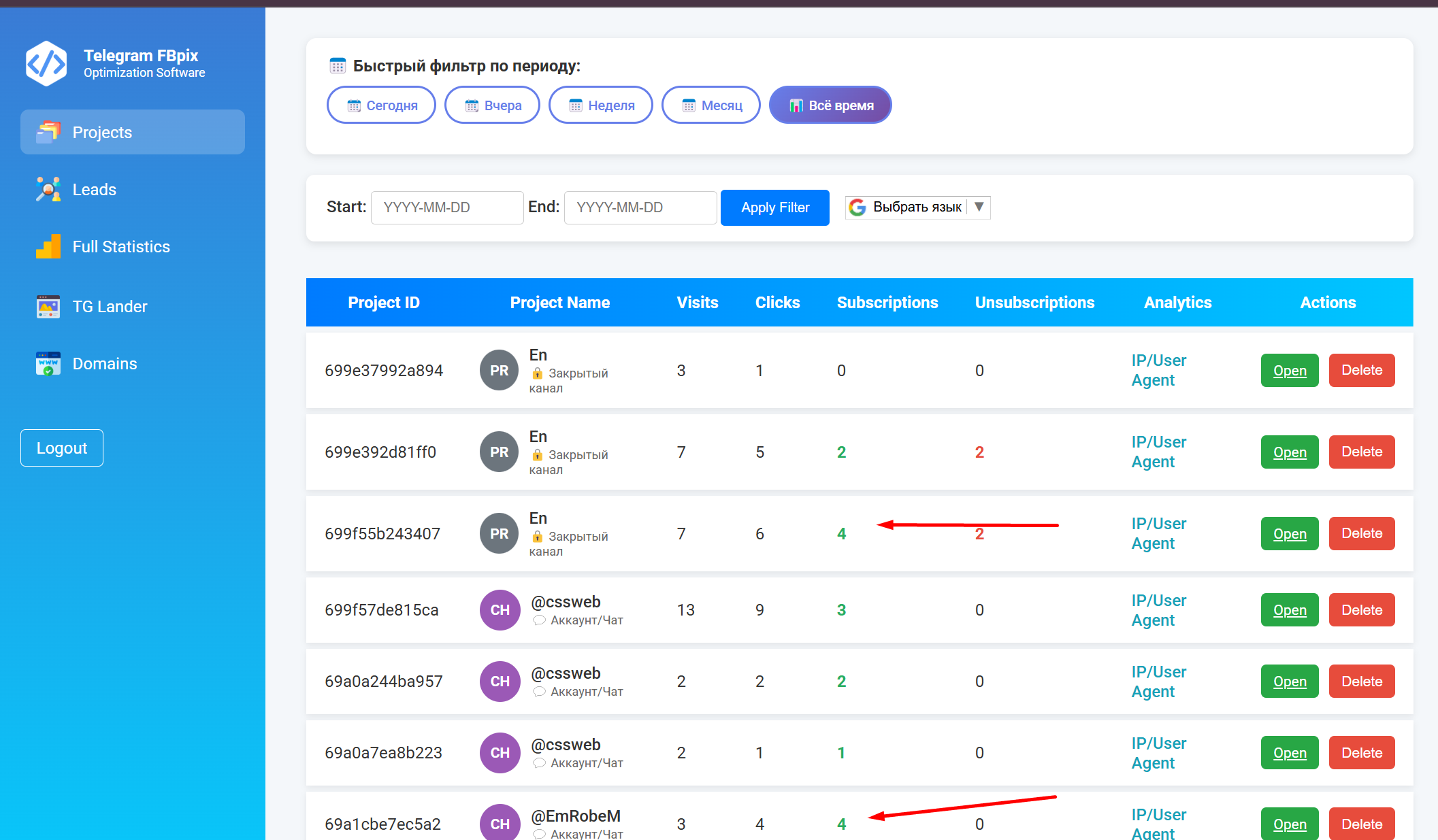
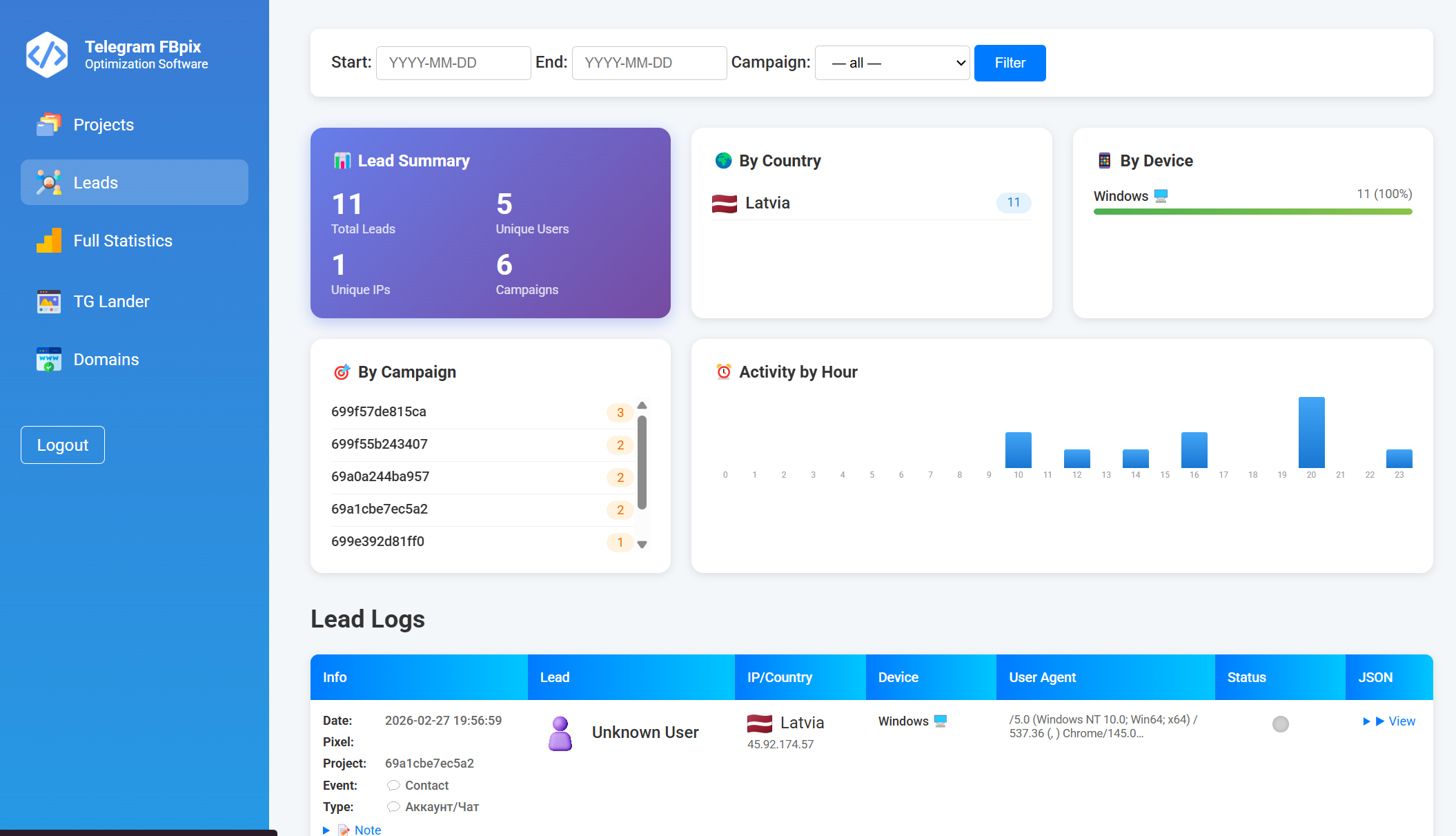
Example of a ready link
We launch a link in the following format:
https://домен.ком/index_69a1cbe7ec5a2.php?camp_id=69a1cbe7ec5a2&entity_type=chatSelecting an event in Ads Manager
In Ads Manager, select the Meta Pixel event depending on the type of Telegram object:
- Closed channels —
Lead
- Open channels —
Subscribe
- Start chat -
Contact
- Groups —
CompleteRegistration
Fbpix Rules1. Do not place any additional links on the landing page.
2. Check the pixel only after launch.
3. It is recommended to upload your own landing page into the system for a more unique experience with Meta Ads. It can be generated using a neural network using templates from the system.
4. It is advisable to use a separate unique domain for each channel. The system allows you to add your own domains or register them through us.
5. You cannot use third-party bots to accept requests for the channel. Our system requires that only it has the right to accept applications. Other functions can be disabled.
Important
Your channel ID must begin with the prefix
-100.Example:
If your ID is
23356, then the correct format would be:-10023356What to do next
Creating a campaign for closed, open channels and Telegram groups
CAPI PIXEL META Settings
How to set up auto-message for channels
How to add a domain to the system
How to get IDs of channels and groups via the web version of Telegram