
1. Adding an account to the system
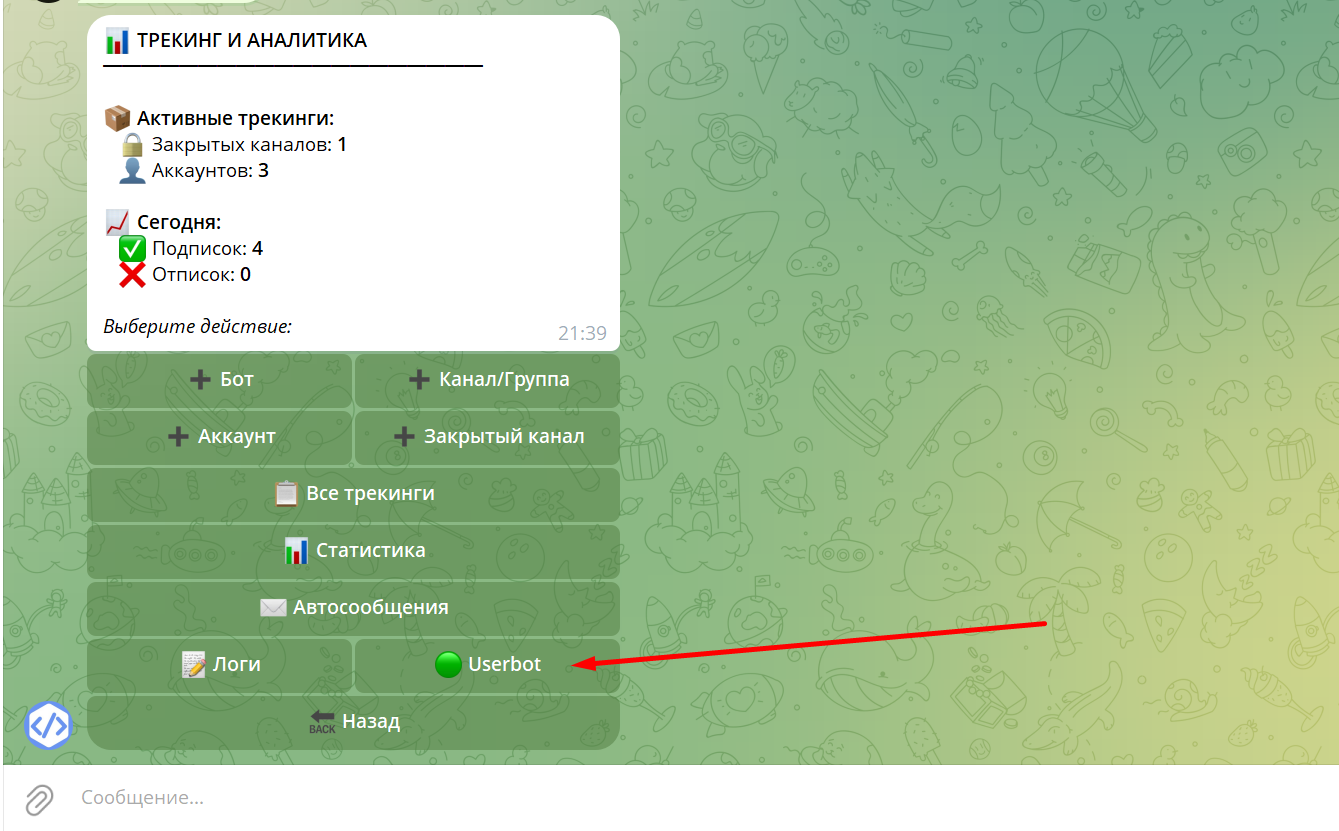
Go to the main menu of the bot and click "Tracking and Analytics".

Then select userBot.
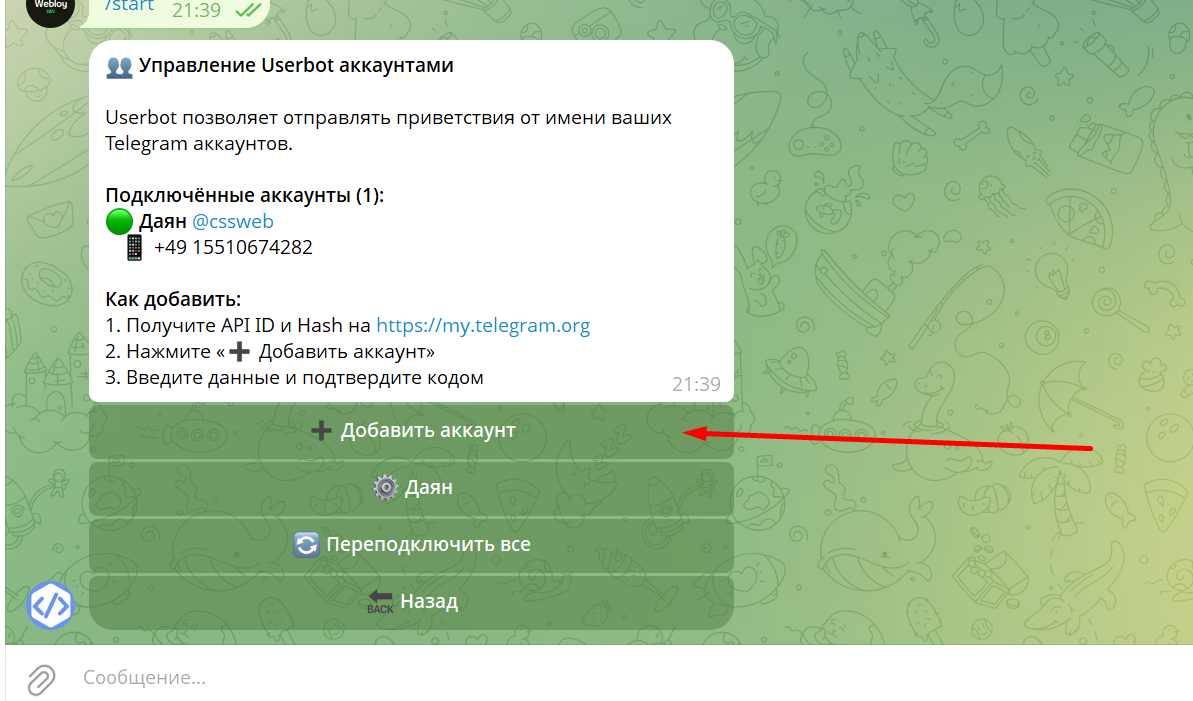
Click Add Account.
2. Obtaining an API ID
To add a new account:
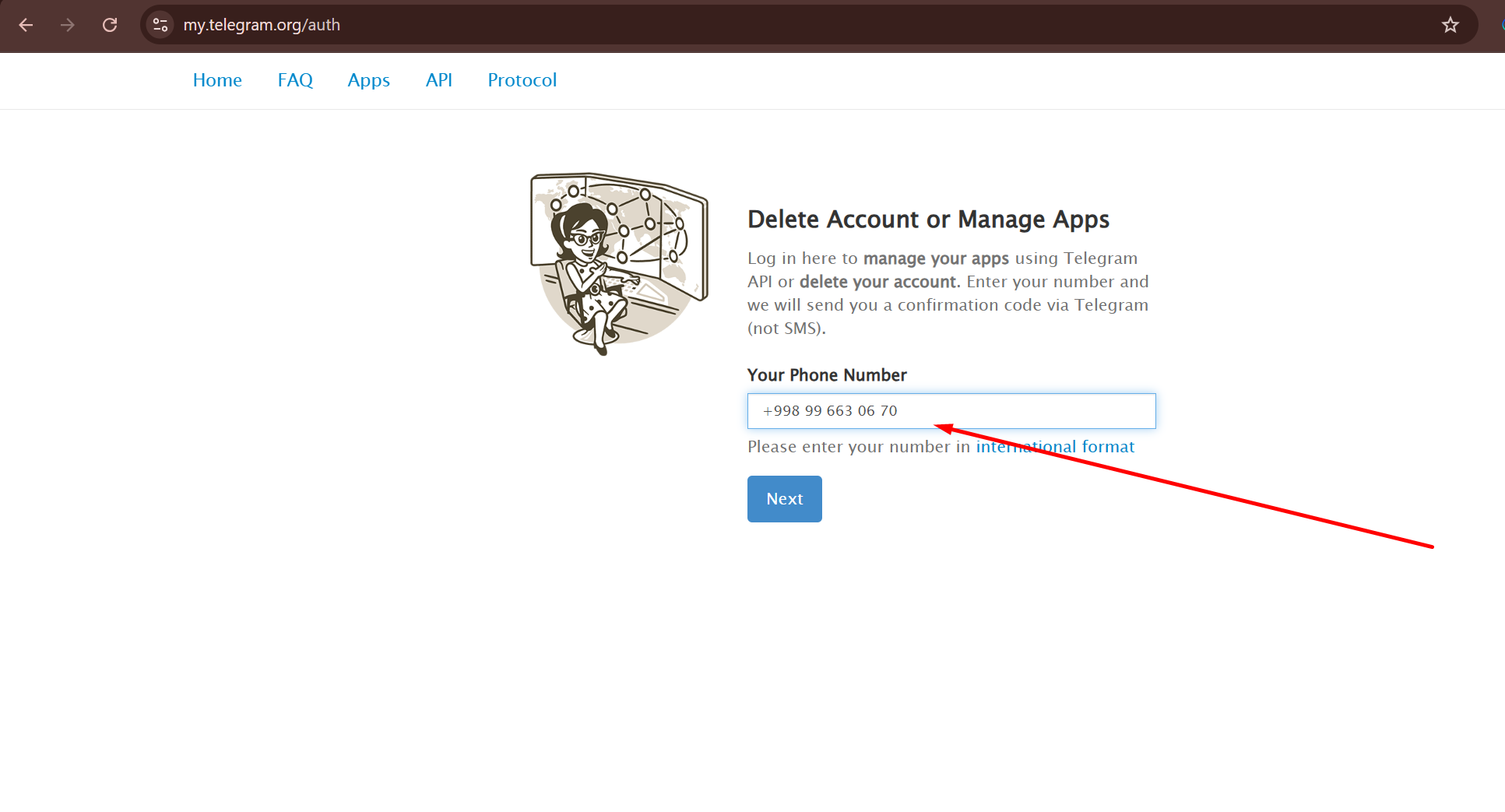
1. Go to the website: https://my.telegram.org
2. Log in using your new account phone number.
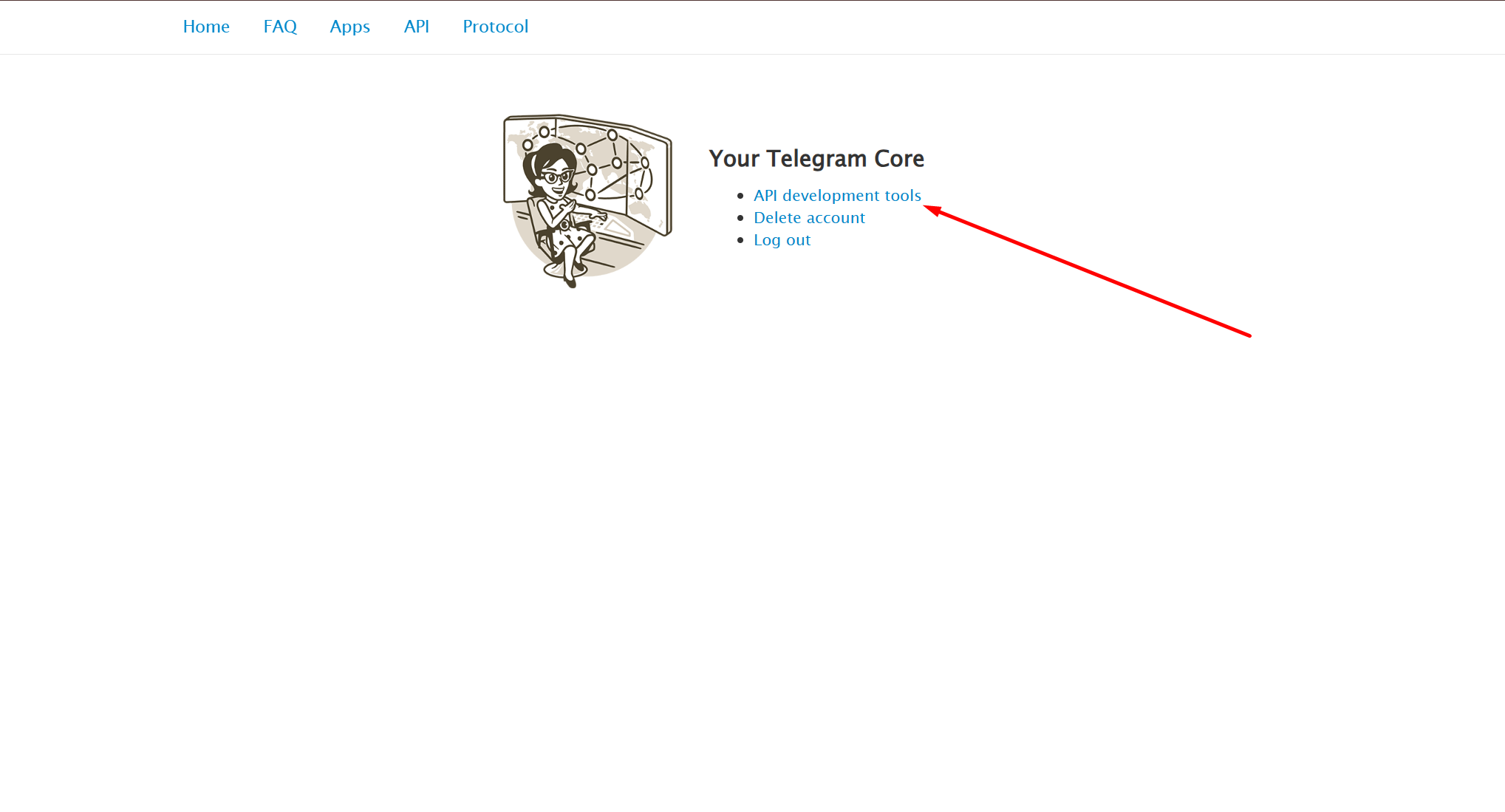
3. Open the API development tools section.
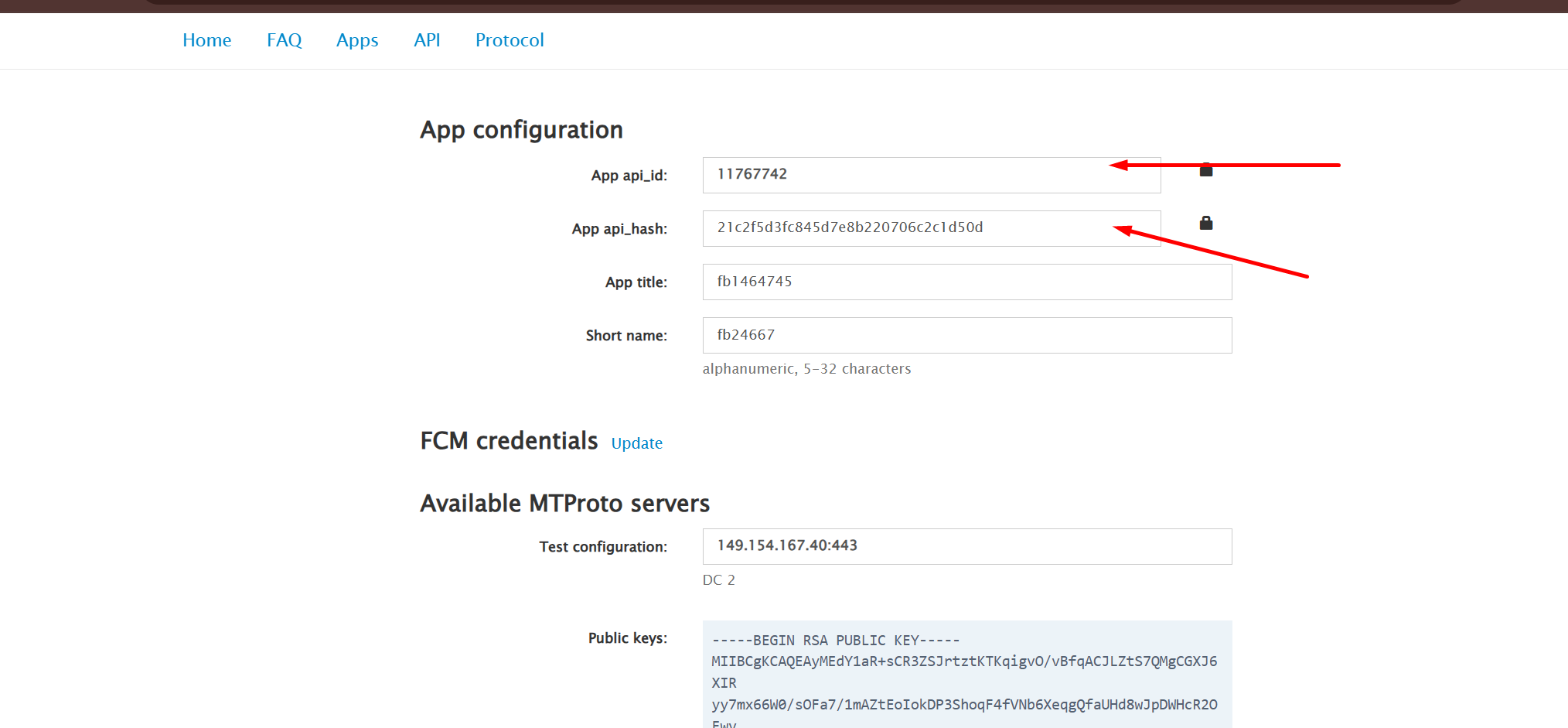
4. Create an application.
5. Copy API ID (this is the number).
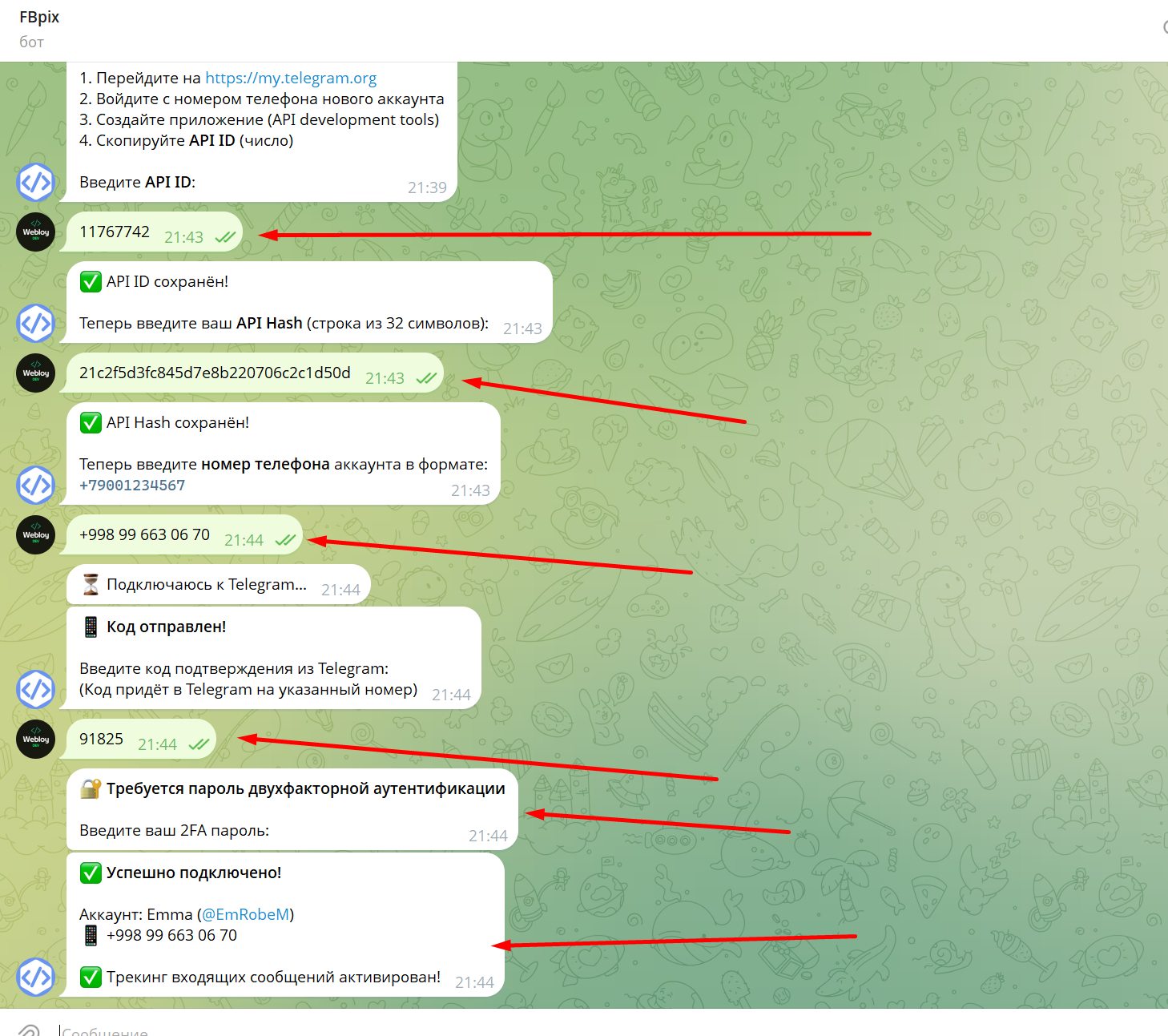
After that, enter the API ID in the system.